 PhotoSplit Studio
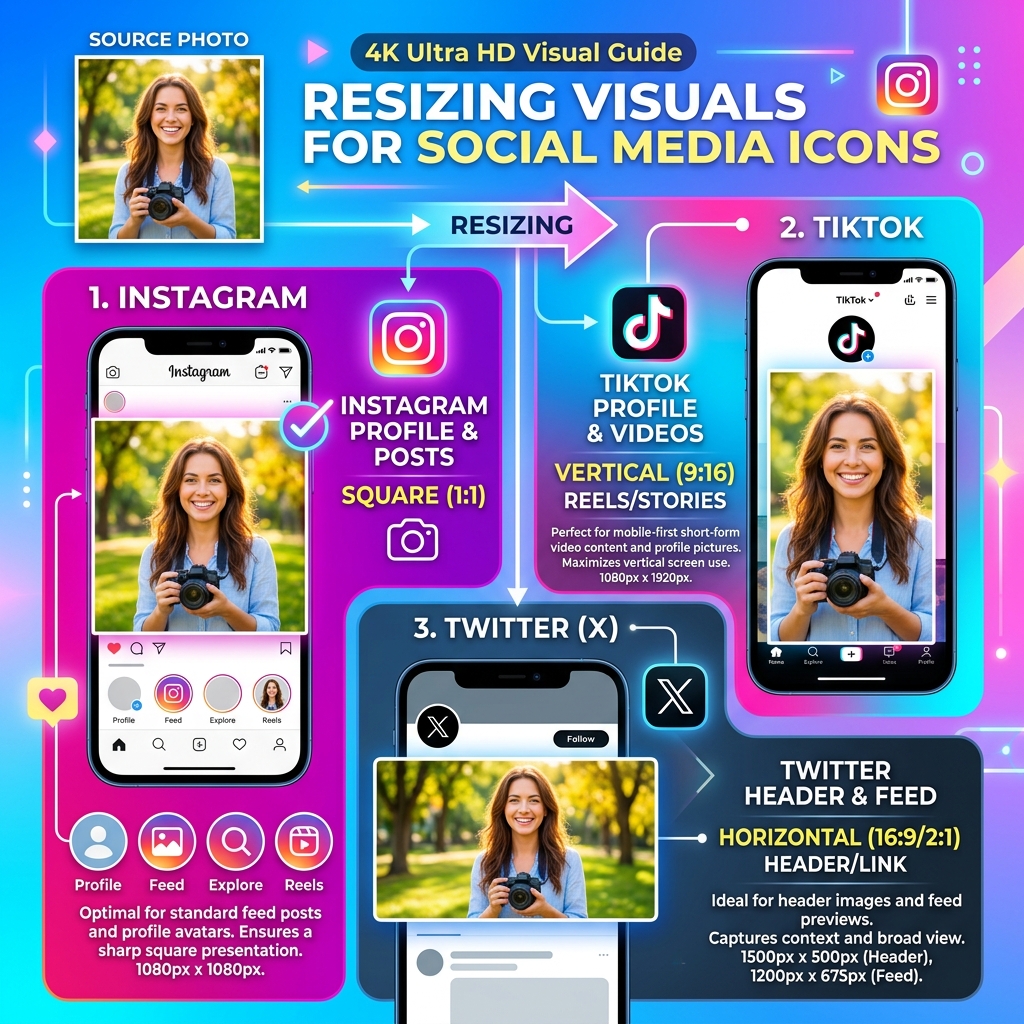
Why Image Dimensions Matter for Social Media
Every social media platform uses its own proprietary compression algorithm. If you upload a photo that doesn't match their required aspect ratio, the platform will crop it automatically—often cutting off heads or important text. Additionally, oversized images will be heavily compressed by the platform, resulting in blurry, pixelated artifacts. Our tool ensures your photos are pixel-perfect before you hit upload.
Our local browser-based resizing uses high-quality interpolation to preserve sharpness, ensuring your photos look crisp and professional on every screen.
📸 Instagram Post & Story Guide
Use 1080x1080 for standard square posts. However, professional marketers recommend 1080x1350 (portrait) because it takes up maximum screen real estate in the feed, forcing users to pause scrolling. For Stories, always use 1080x1920.
🎵 TikTok & YouTube Shorts
Vertical video platforms require a 9:16 aspect ratio, exactly 1080x1920 pixels. Be careful to respect the platform's "safe zones"—do not put important text at the very bottom or right edges, as the UI (like buttons and captions) will cover it.
▶️ YouTube Thumbnails
YouTube requires thumbnails to be exactly 1280x720 pixels (16:9 ratio). More importantly, the file size must be strictly under 2MB. Use our "Fit" mode to prevent stretching, and export as JPEG.
💼 LinkedIn & Twitter/X
For shared link previews and standard image posts, use 1200x627 for LinkedIn and 1200x675 for Twitter. This ensures your image fills the desktop feed without cropping.